

Overview
On this page, we will look at the basic set of Spread | Emma automation and the three elements that make it up. We also explain step by step how to actually connect automation sets to set up a single automation flow.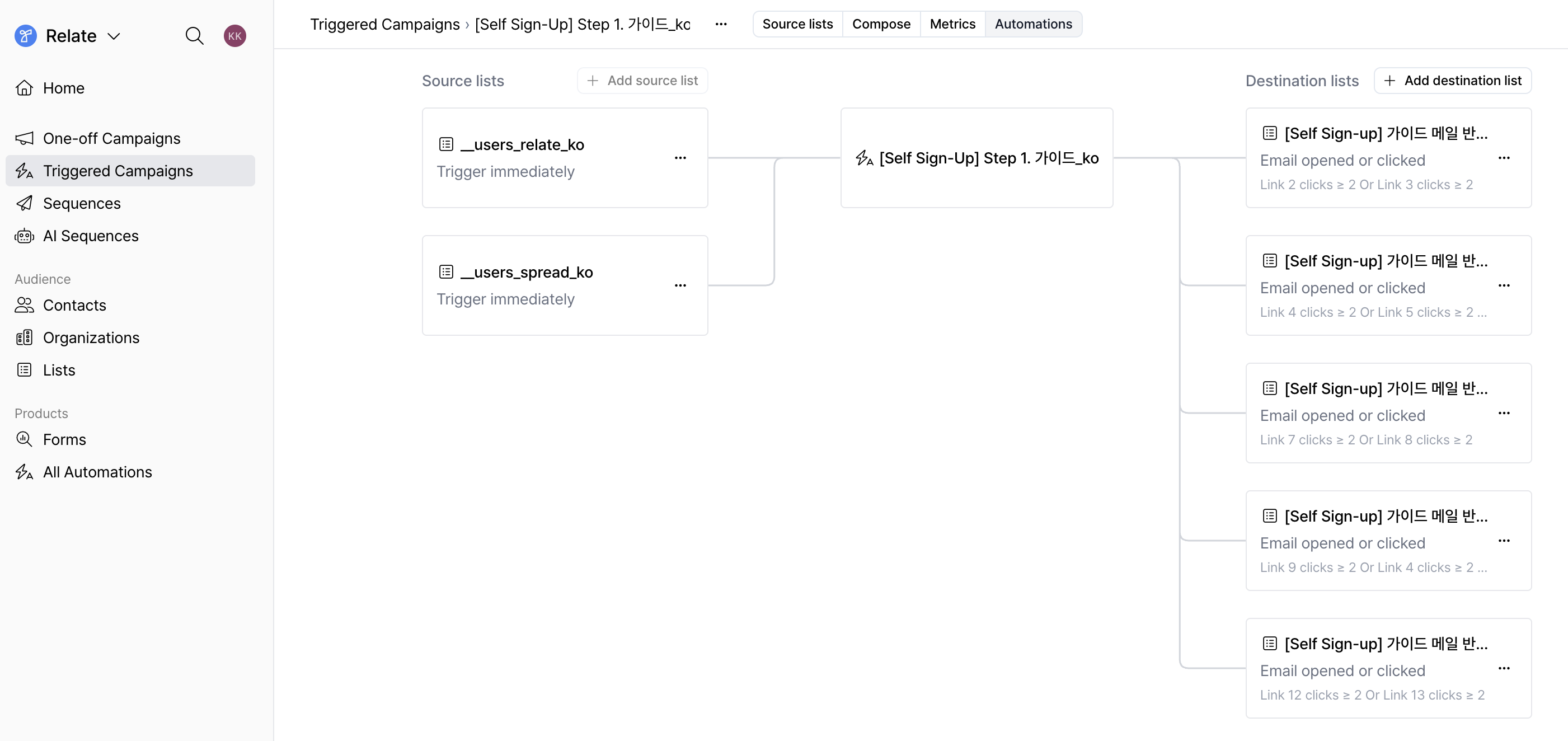
The basic set of Spread | Emma automation
All of Emma’s automations run by repeating the following basic set.List → Email → List
A single automation set consists of the following three elements.
- Source list : A list where the target leads to receive emails are collected
- Email: Triggered Campaigns or Sequences
- Destination list: The next list that leads move to based on email responses
| Source list | Triggered Campaign | Destination list | Sequence |
| New lead list acquired through the Contact Us form | Automatically send onboarding content such as product introductions, usage guides, and key feature overviews | Classify leads who opened the onboarding email or clicked links into a separate interest list | The owner sends personal emails to interested leads to propose meetings and continue follow-ups |
The three elements that make up an automation set
Let’s take a look at the roles of lists, triggered campaigns, and sequences that make up the automation set above.1. List
A list is a set of customer records created using contacts and organizations. In Emma, it is both the starting point of automation and the connection point to move to the next step.- Every lead belongs to at least one list.
- All email sending is based on the Source list.
- Leads that satisfy pre-configured conditions automatically move to the Destination list.
2. Triggered Campaign
A triggered campaign is a campaign in which pre-written emails are automatically sent when a lead is added to a list. It is mainly used as an automated email for inbound responses. Emma sends triggered campaigns based on the source list, and after sending, it can classify leads and automatically create new lists based on the following lead email responses.✔️ Whether the email was opened
✔️ Whether a link was clicked
✔️ Whether unsubscribed
3. Sequence
A sequence is an individual email flow that continues the conversation with a lead. It is mainly used to continue follow-up communication assuming a lead response. Emma sends sequences based on the source list, and in sequences, it can reclassify leads and automatically create new lists based on whether the lead replied.✔️ Replied
✔️ No reply : The no-reply 기준 is set to 7 days by default, and can be changed to fit the team on each sequence settings page.
Setting up an automation flow [Step-by-Step]
Step 1. Write the email to be sent automatically
On the One-off Campaigns, Triggered Campaigns, or Sequences page, refer to the Send an Email guide and write the email content first.Step 2. Prepare the source list to begin automation
The written email must be connected to a source list to be sent. You can prepare a source list in the following two ways.- Add manually: Select an existing contact list and add it to the list
- Connect form responses: Set up so that responses coming in through a form are automatically added to the list
Step 3. Connect the source list in the Automation tab
If you click theAutomations tab at the top, you can set the lists to be connected before and after a single email.
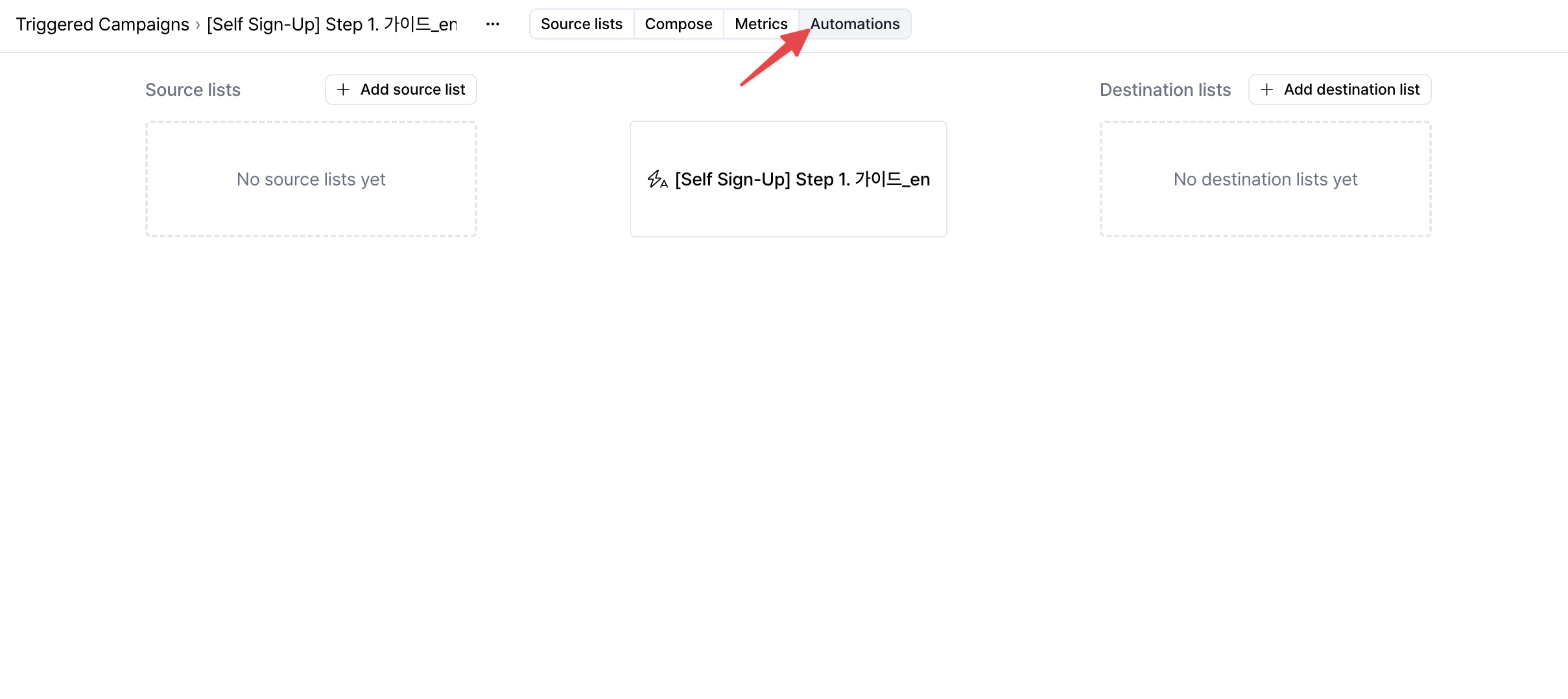
+ Add source list button to add a source list, the connected email will be sent automatically.
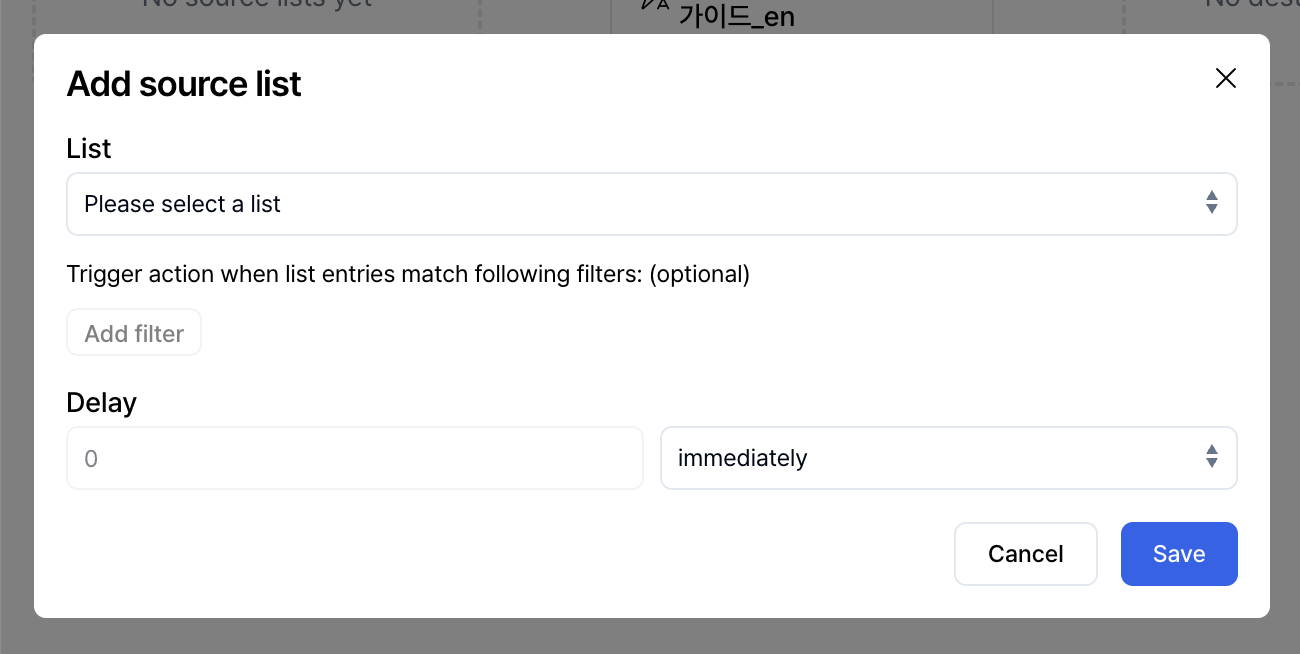
- Send immediately (immediately)
- Send after a certain time (hours, days)
Step 4. Add a destination list and set response conditions
You can set a destination list that leads will move to based on their responses to the email. This is a list that leads move to only when they satisfy specific responses and conditions. Click the+ Add destination list button to add a destination list.
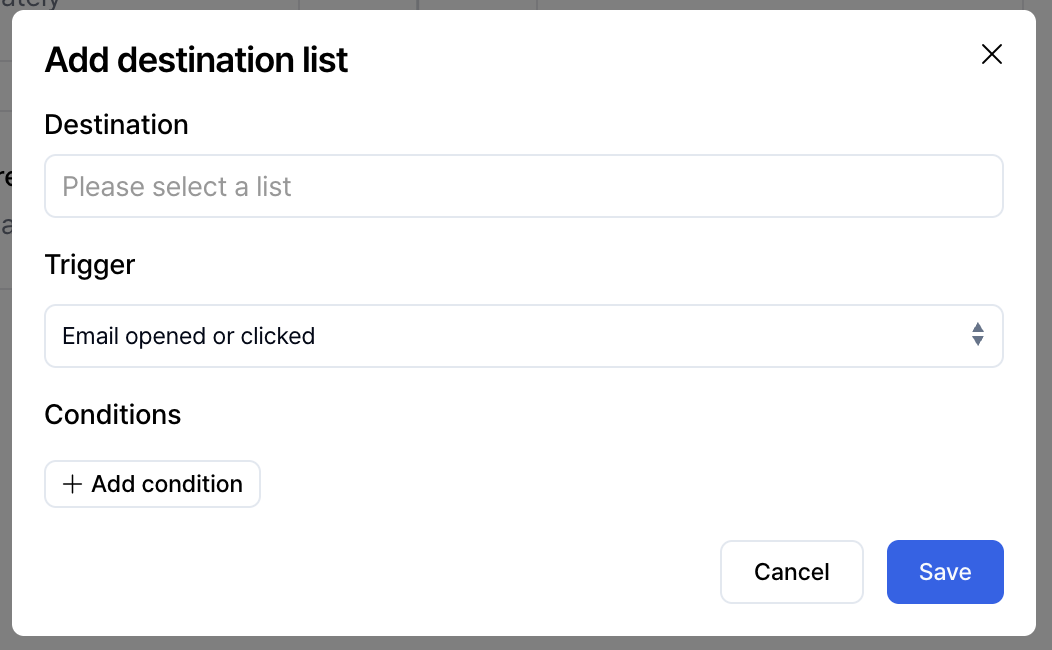
- When the email is opened/clicked
- When unsubscribed
- Email open count is greater than or equal to a certain number
- Total email click count is greater than or equal to a certain number
- Clicked a specific link a certain number of times
By using destination lists, even if leads receive the same email, you can naturally branch into different next flows depending on their responses.
Step 5. The destination list becomes the starting point of the next automation set
Leads that meet the conditions move to the configured destination list, and this list can again be used as the source list for the next automation.Spread’s automation flows aren’t limited to a single screen and can be configured not only on One-off Campaigns, Triggered Campaigns, and Sequences pages, but also on the Lists page.Through the
Automations tab at the top of each page,
you can configure an automation flow in the same way that continues from
Source list → Email → Destination list.No matter which screen you configure it on, the automation works the same way,
and you can conveniently manage automation on the page that fits your current work context.Visual structure of the entire Emma automation flow
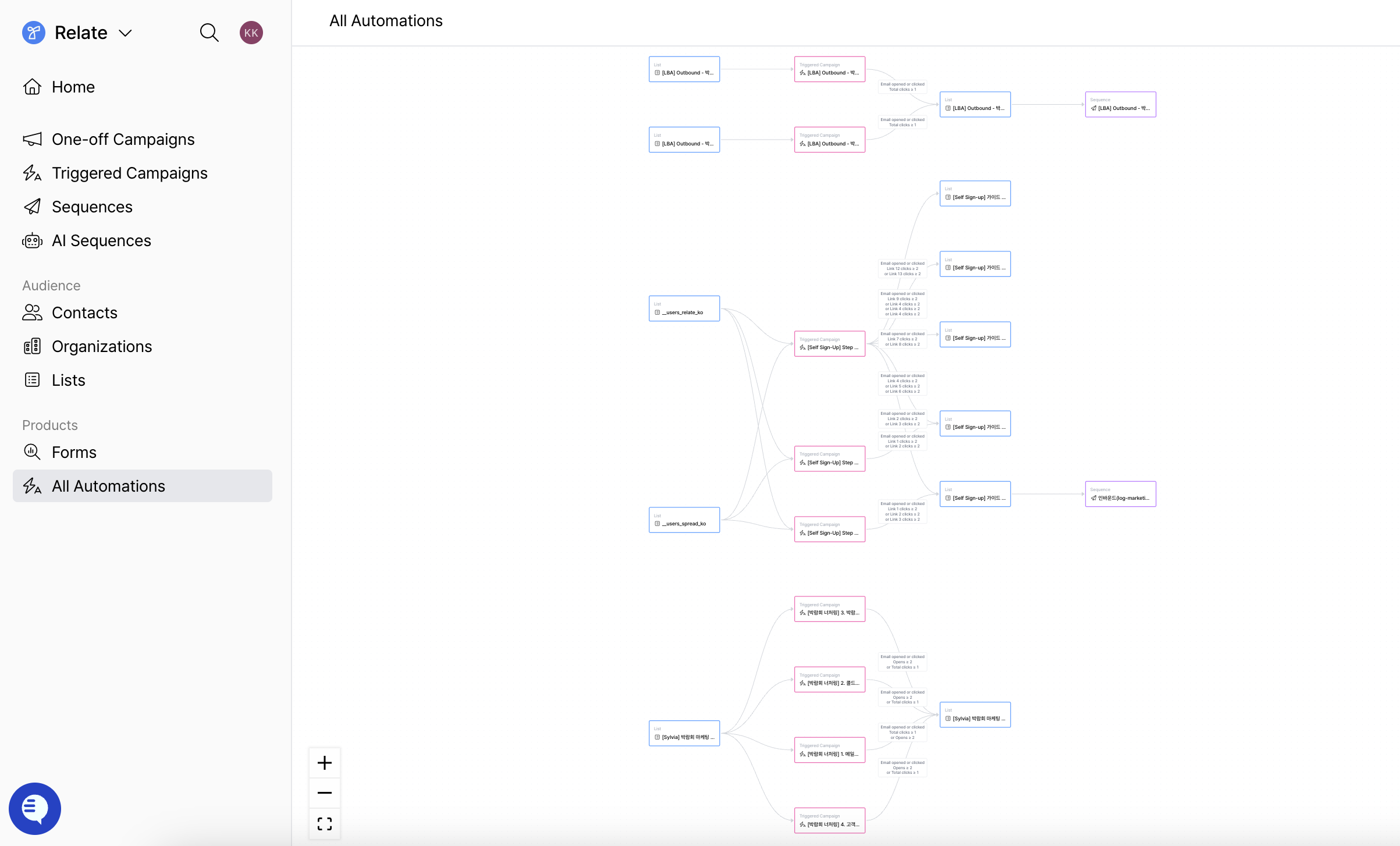
If you clickAll Automations in the left sidebar, you can view all automation flows configured in Emma on a single screen.
It visually shows which list each lead starts from, which emails they go through, and which conditions move them to the next list, allowing you to manage the entire automation structure by flow.
Get started with Spread | Emma
Having the leads and emails you already have is enough. You don’t need to collect new leads, and you don’t need to set everything up from the beginning. AI Writer creates the initial drafts for the email flow, and sending and follow-up decisions are then continued through automation. Click the button below to apply! We’ll guide you on how to get started in a way that fits your team’s situation. 👉 Apply for Spread | Emma Early Access- Currently running a Closed Beta Test for customers who have applied